Response Policy Zones
Introduction
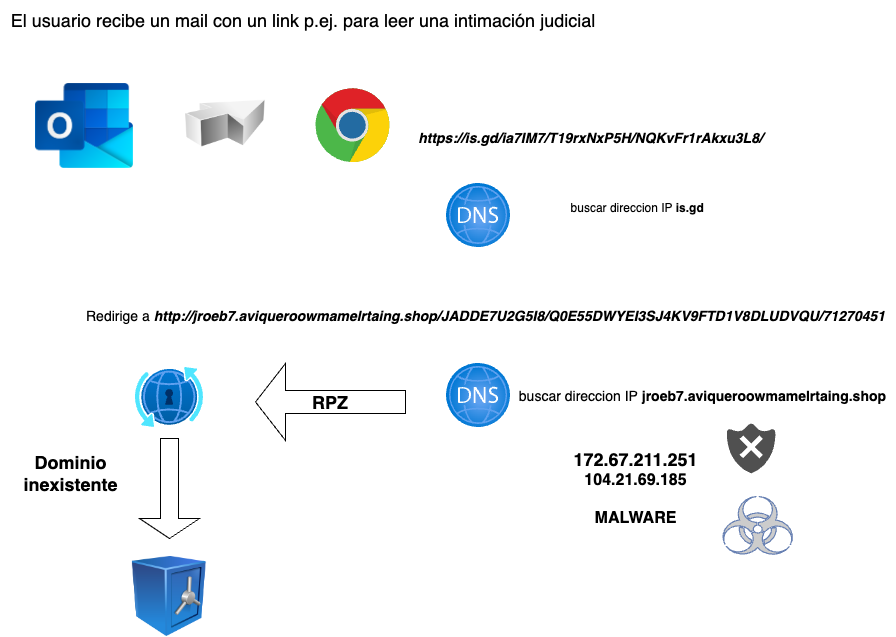
RPZ is a feature of resolvers that allows listing domains that should not be accessible by the user or system using that resolver.
This can be due to a court order, a censorship action, or, most commonly, a cybersecurity measure associated with endpoint protection.
In other words, when a user receives an email with a malicious link, or when a user’s PC is infected with malware that needs to access a Command & Control domain, if their resolver is on an IP of a Resolver RPZ provided by Planisys, it is likely that access to that domain will be blocked, and the danger will disappear because the malware or Command-and-Control server cannot be reached.
Resolvers
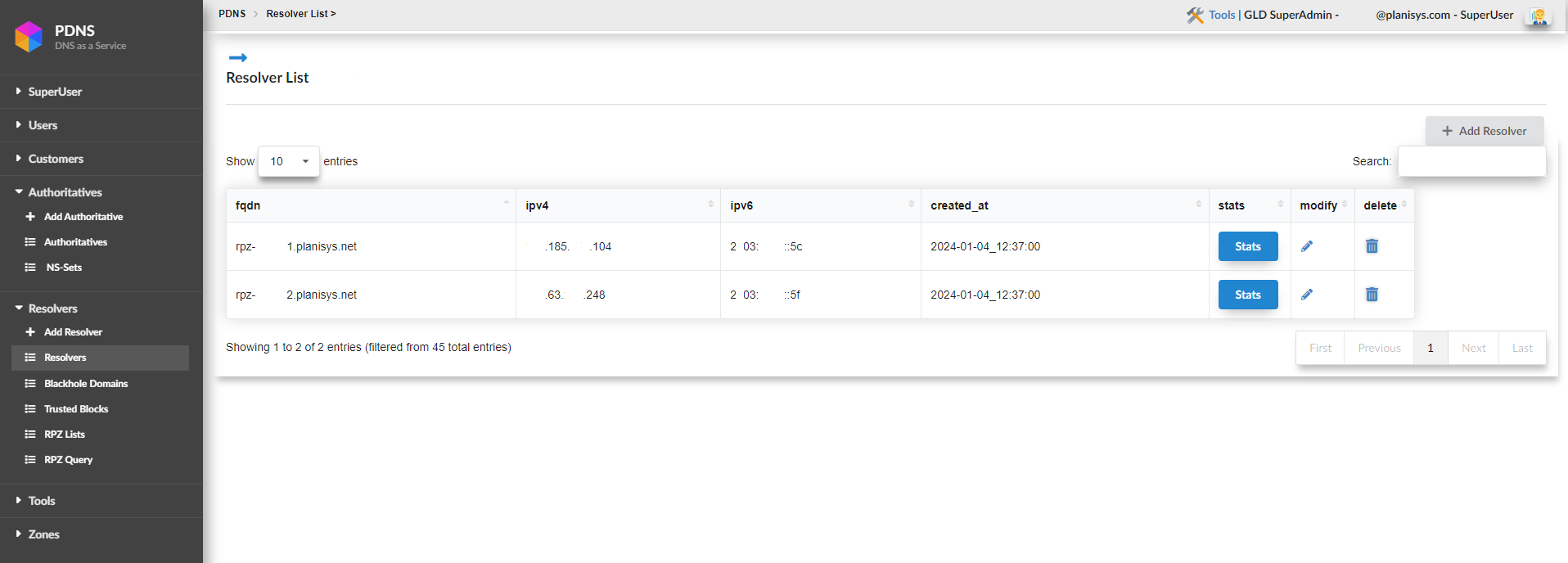
One of the first screens we encounter is the resolvers screen. Here, the resolvers that have been assigned to us and need to be configured in our environment are listed.
Then, by clicking on STATS, we can view various statistics of our resolvers.
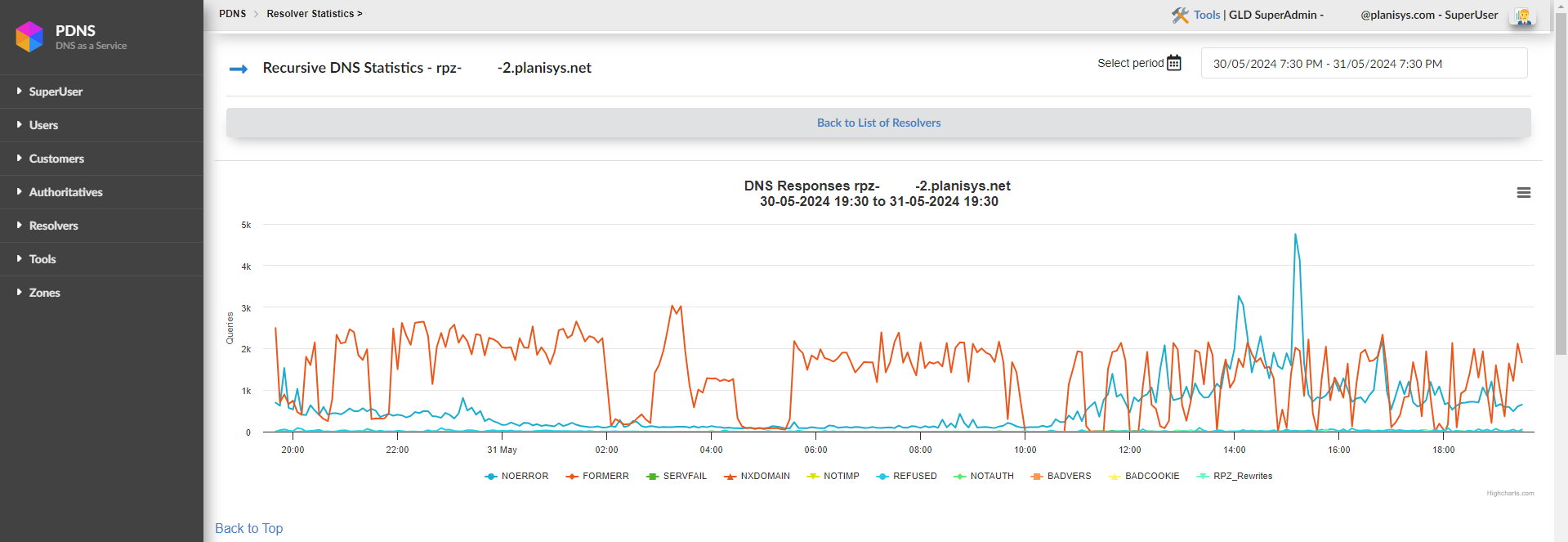
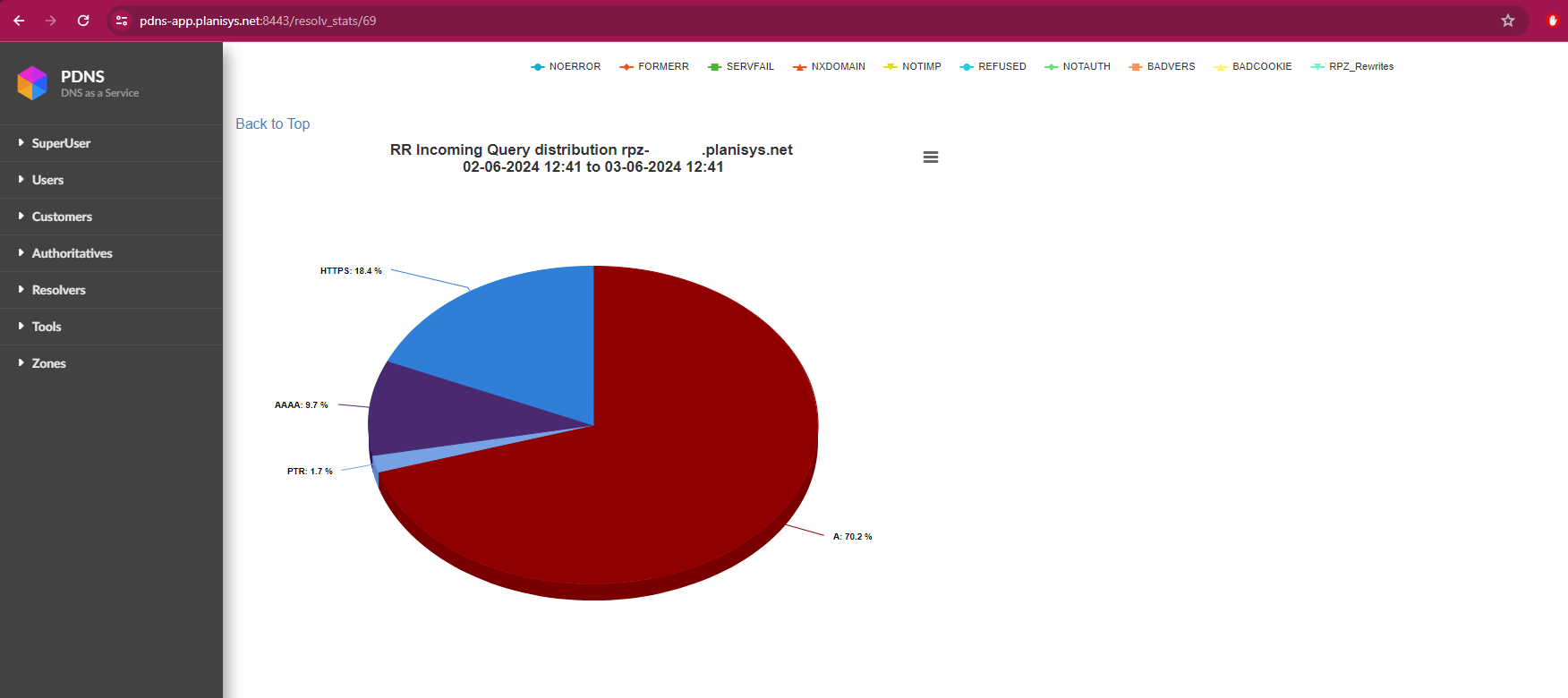
Below are the response codes that can be generated when making a query to a BIND9 server, which we can observe at the bottom of the graphs:
NOERROR: Indicates that the DNS query was successful. The server was able to resolve the domain name and return a valid response.
FORMERR (Format Error): The DNS server indicates that it received a malformed query. This means the request sent does not comply with DNS protocol specifications.
SERVFAIL (Server Failure): The DNS server was unable to process the query due to an internal problem, such as a lack of resources or a configuration error. It is a generic response when something went wrong on the server.
NXDOMAIN (Non-Existent Domain): Indicates that the requested domain name does not exist in the DNS. The server is reporting that there are no records for that domain.
NOTIMP (Not Implemented): The DNS server does not support the type of query or operation requested. It is possible that the server is not configured to handle certain types of requests or that the requested function is not implemented.
REFUSED: The DNS server refuses to process the query. This can happen for several reasons, such as security restrictions or server configuration to reject queries from certain IP addresses.
NOTAUTH (Not Authorized): The DNS server is reporting that it is not authorized to provide a response for the zone in question. This can occur if the query is directed to a server that is not authoritative for the requested zone.
BADVERS (Bad Version): This code indicates that the query used an incompatible or incorrect version of the DNS protocol.
BADCOOKIE: This is related to DNS cookie validation, used in DNS Cookies to protect against denial of service (DoS) attacks. This error occurs when the received DNS cookie is invalid or does not match what the server expected.
RPZ_Rewrites: «RPZ» refers to Response Policy Zones, a BIND feature that allows DNS responses to be overridden based on policies. When you see «RPZ_Rewrites», it means the DNS server has modified the response according to policies defined in an RPZ zone, such as blocking certain domains or redirecting them.
Blackhole Domains
Here, you can manually enter, upload, and download records for our RPZ.
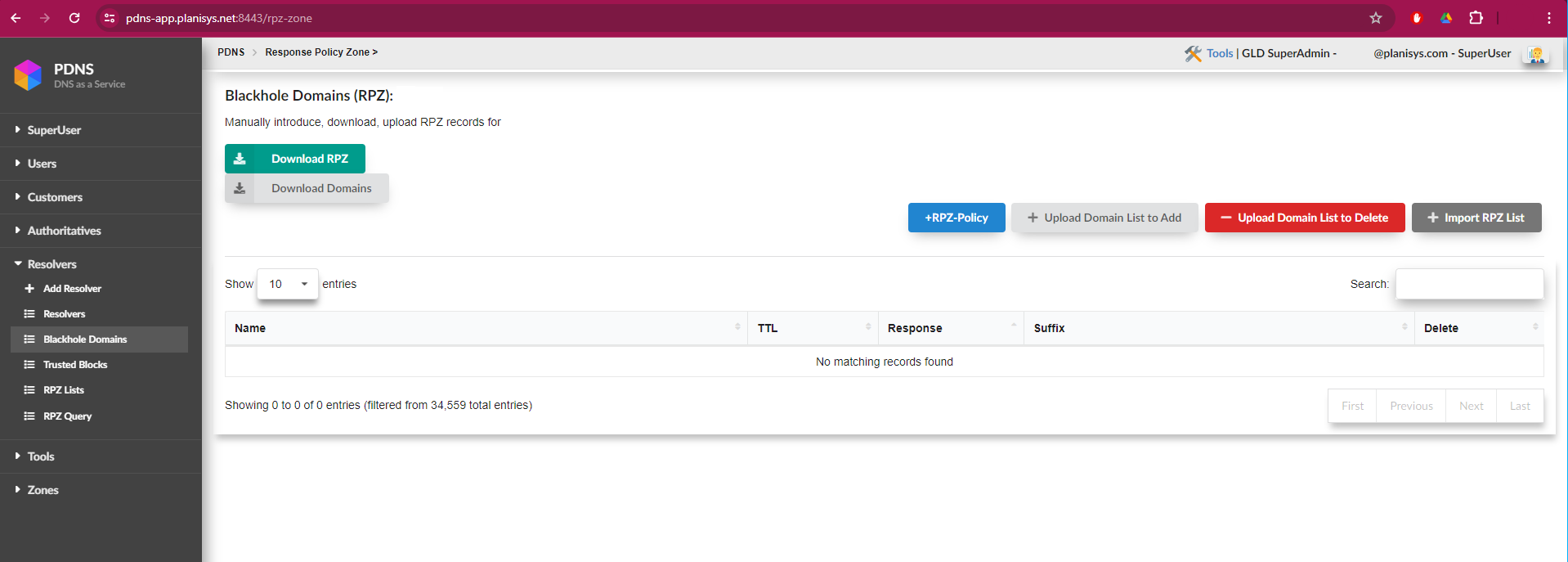
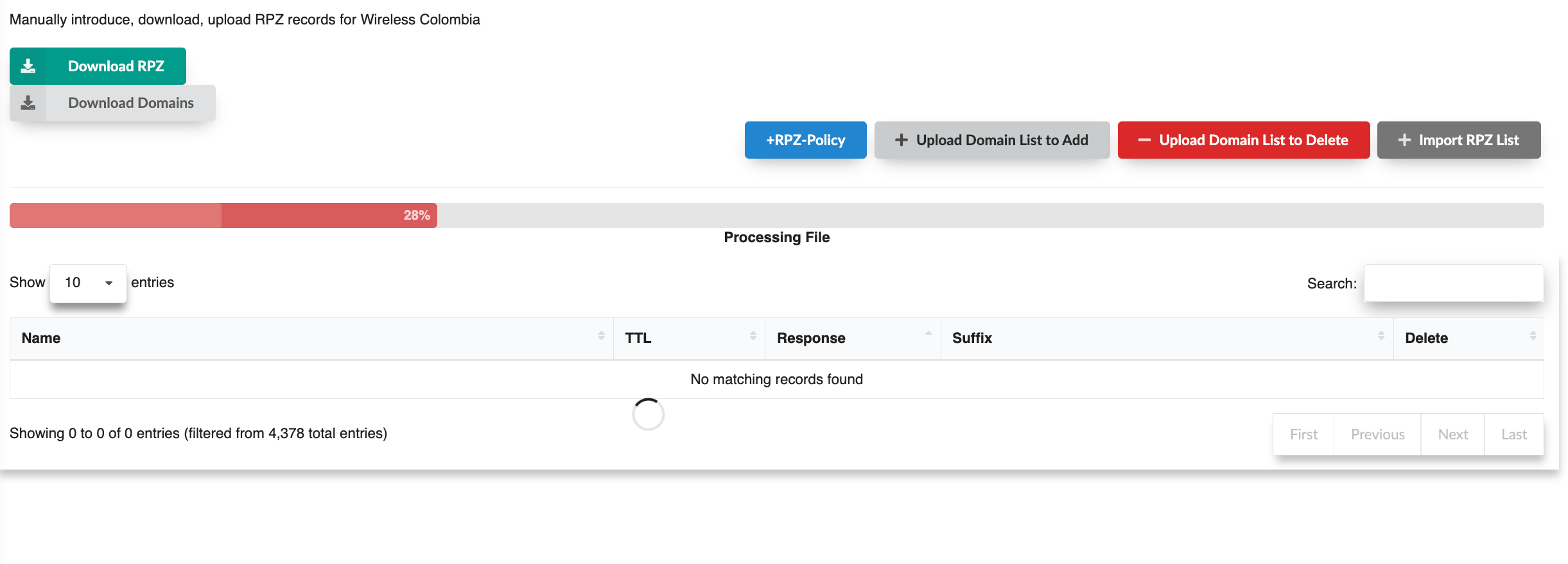
For files with a large number of domains, such as those provided by the government, they can be uploaded without size or duration issues using this screen, which includes a progress bar.
Trusted Blocks
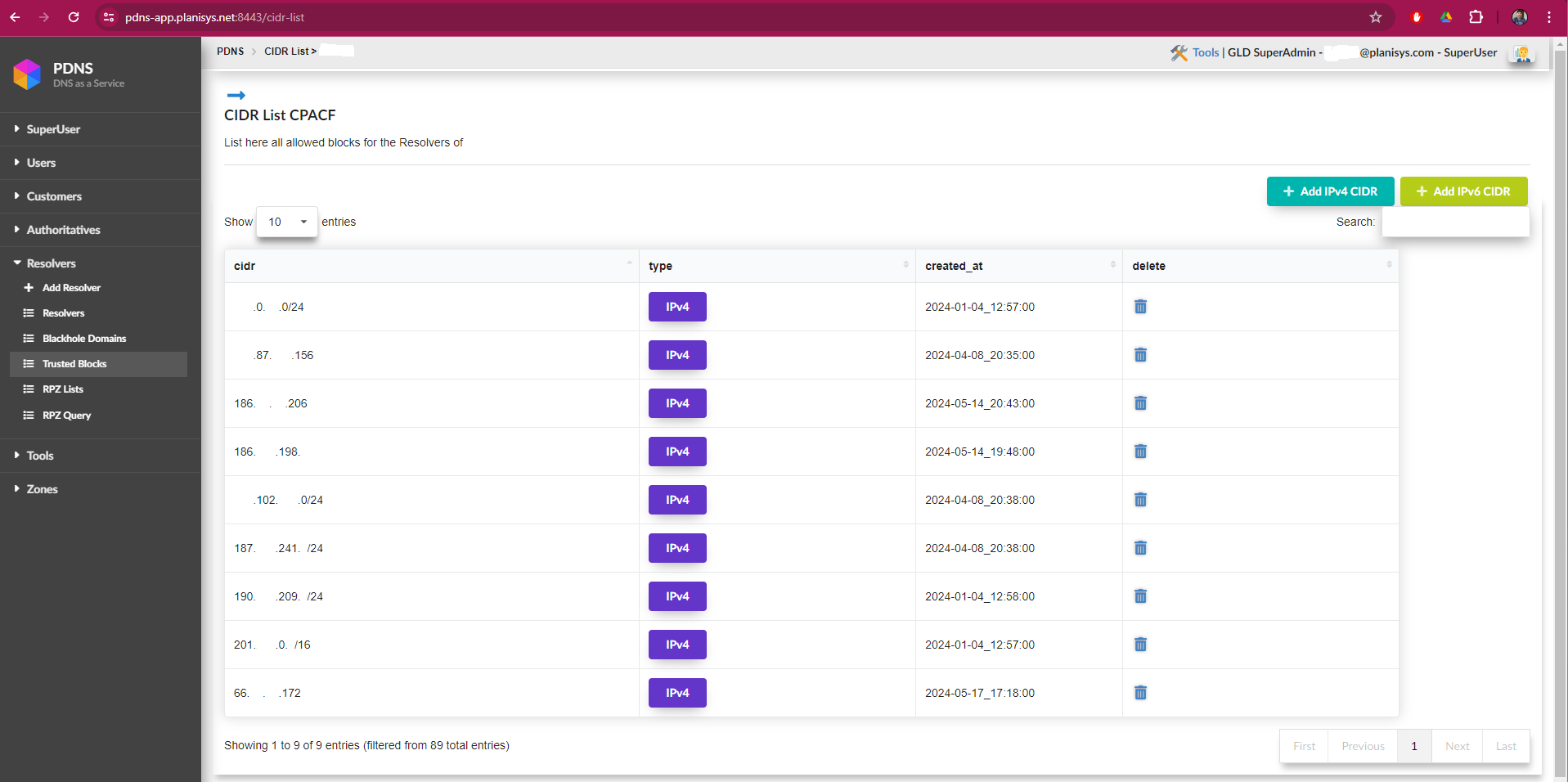
This screen contains the list of CIDR blocks allowed to use the resolvers. With the «Add IPv4 CIDR» and «Add IPv6 CIDR» buttons, you can add IP ranges or specific IPs.
RPZ List
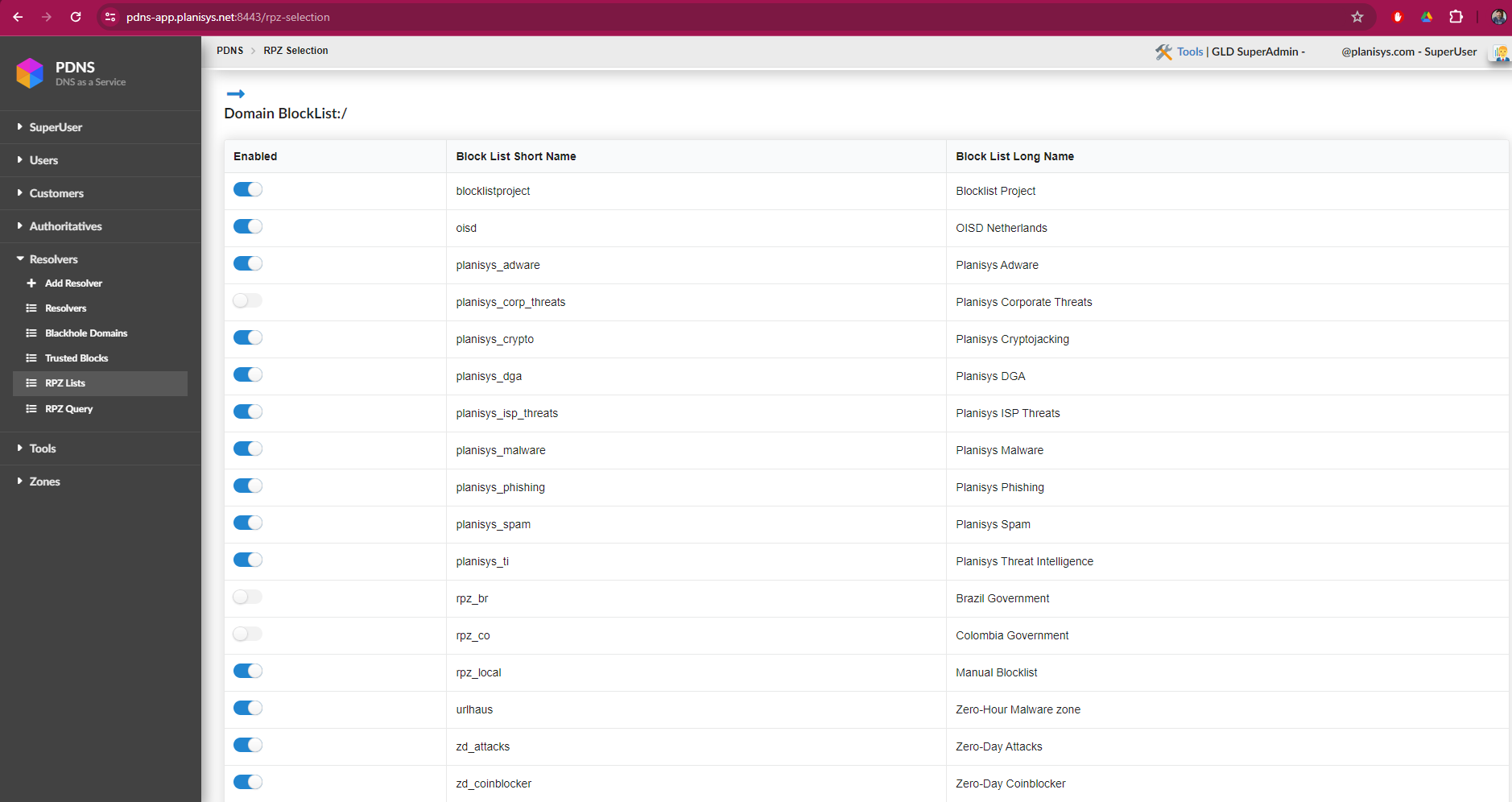
This screen contains all the lists and categories that are part of the DNS Response Policy Zones (RPZ) security service. These lists are constantly updated by Planisys Threat Intelligence and its SOC, which is responsible for keeping information up to date on threats, dangerous sites, and advertising. Thus, the ISP can enable or disable the lists according to the level of security they wish to implement.
RPZ Query
With the RPZ Query functionality, the operator can perform support tasks and verify if a domain is being filtered by the service in response to a customer’s request. This facilitates support, and if a known domain is being mistakenly filtered, the screen will indicate which list is filtering it, allowing you to disable it and/or report it if necessary.